


Ultra-Thin Card-Type Precise Positioning Anti-Lost Device, Anti-Theft Card Locator
Ultra-Thin Card-Type Precise Positioning Anti-Lost Device, Anti-Theft Card Locator
无法加载取货服务可用情况
Carry Less Bulk.
Find More Easily.
Slip a discreet tracker into your wallet without changing your everyday carry. Use Apple Find My to play a nearby sound or check its reported location.

Less Searching.
More Getting On with Your Day.
Choose the finding tool that suits the moment, from a nearby sound to a location on the map. Supported alerts and sharing options add flexibility to your setup.
Listen Nearby
Play a sound when the tracker is connected and within range.
Check the Map
View the last reported location available in Find My.
Set Helpful Alerts
Enable supported left-behind notifications in your app settings.
Share When Needed
Use supported item sharing with trusted contacts.

A Small Addition to
Your Daily Essentials.
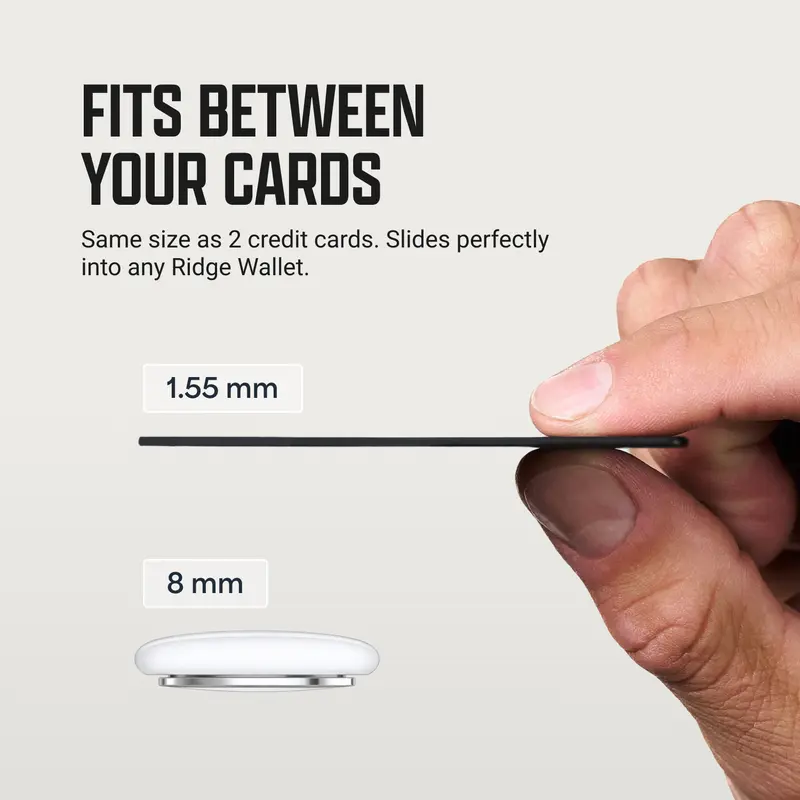
The slim card-shaped format fits into a suitable wallet compartment. Keep your essentials together in a familiar, easy-to-carry shape.
Follow the Sound.
Skip the Sofa Search.
A wallet tucked beside a cushion can be easy to overlook. Trigger the built-in sound from Find My to help guide your nearby search.
Take It Along.
Make It Part of the Routine.
Place the card in a wallet, passport holder, or suitable bag compartment. Choose a secure position that keeps it with the item you want to find.
Power Up.
Keep It in Your Routine.
The rechargeable design uses dedicated charging contacts. Align a compatible charging connector with the card as shown in the product instructions.
A Little Splash.
Less Everyday Worry.
A water-resistant design adds reassurance around incidental everyday splashes. Dry the card and charging contacts before connecting it to power.
From Unboxing to
Everyday Carry.
Follow the supplied instructions to add the card to Apple Find My. Test its nearby sound before placing it in your wallet.
-
Power On
Charge if needed, then turn on the card according to the supplied guide.
-
Add in Find My
Follow the app prompts on a compatible Apple device.
-
Place and Check
Test the sound, then place the card securely with your chosen item.
Know What
You Are Choosing.
A compact overview of the card’s design and key functions. Check device compatibility before ordering.
| Product | Rechargeable Wallet Tracker Card |
|---|---|
| Finding App | Apple Find My |
| Format | Slim card-shaped design |
| Color | Black |
| Nearby Finding | Built-in sound |
| Map Location | Last reported location available through Find My |
| Charging | Rechargeable via dedicated contact connector |
| Everyday Protection | Water-resistant design |
| Carry Options | Wallet, passport holder, or suitable bag compartment |
A Few Helpful
Answers.
Get clear on compatibility, finding features, and charging. Tap any question row to read the answer.
The version shown uses Apple Find My with a compatible Apple device. Do not assume Android compatibility unless your selected version explicitly supports it.
No. Find My displays the location information available to it, which may be the last reported location. Updates depend on network availability and nearby participating devices.
Use the compatible contact charging connector shown in the product instructions. Align it with the card’s charging pads, keeping both surfaces clean and dry.
Yes. A passport holder or suitable bag compartment can also hold the card. Keep it secured with the item and test the sound after positioning it.
Give Your Essentials
a Finding Companion.
Make a slim tracker part of the wallet you already carry. Review the product options above and choose your everyday finding setup.
Return to the top to view product options.


